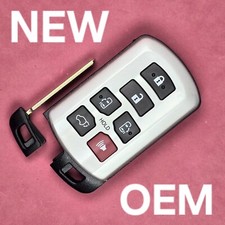
keyless remote Code Alarm GOH-FOUR 4 control car starter key fob 434MHz 4 Button
Check the listing for details.


| Location | Wellsboro US |
| Shipping | Free shipping (check listing for details) |
| Seller |
u.s.autoparts
98.0% positive · 16936 feedback
|
| Listing | FixedPrice · Active |
| Start time | 2025-01-29T16:36:48.000Z |
| Fits 1 | PRO1000, PRO200, PRO3000, PRO3500, PRO5000, PRO5500, PRO7000, PRO |
| Fits | ELITE4500, ELITE6500, ELITE911, ELITE950, ELITECOMPETITION, PRO10 |
| Fits 3 | SURESTARTSE433 SURESTART SE433 SE RVSII RVS PRO 750 7000 5500 100 |
| Fits 2 | PRO750, RCS2, RKE1, SURESTARTRVS, SURESTARTRVSII, SURESTARTSE, |
| Fits 5 | ELITE 4000 2000SE 1500 1100 CSM 4 3 2.5 Code alarm Codealarm CSM2 |
| Fits 4 | PRO 1000 200 3000 3500 5000 5500 ELITE competition 950 911 6500 |
| 2-Way Paging | No |
| Unit Type | Unit |
| Features | keyless remote entry fob, ready to program TESTED Works 100% Battery installed OEM Factory, 433 434 MHz keyless entry remote car starter control transmitter |
| stock | 868 "H" 433 |
| Unit Quantity | 1 |
| Other Part Number | opener after market aftermarket wireles CSM2.5, CSM3, CSM4, ELITE |
| programming required | see listing description for details |
| Warranty | 60 Day |
| Color | Black |
| Manufacturer Part Number | 4 G0H GOHFOUR G0HFOUR codealarm transmitter controller keyfob fab |
| Brand | Code Alarm |
| Type | Wireless |
| Interchange Part Number | GOHFOUR PT-4ELITE1100, ELITE1500, ELITE2000SE, ELITE4000, ELITE45 |
| Part Brand | CODEALARM |
| Model | PT-4 PT4 433.5 MHz 434MHz 434 P-100 750 1000 3500 350 c-400 450 |
| Frequency | 433 434 MHz |
| Surface Finish | 4 BUTTON LOCK UNLOCK 1 2 |
| Country/Region of Manufacture | Unknown |
| Condition Specific | Stock photo / faded / Used |
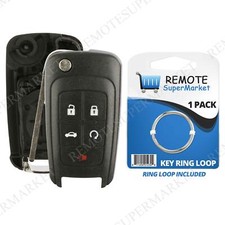
One (1) Aftermarket remote keyless entry fob alarm Transmitter control clicker keyfob controller replacement FUNCTIONS AT 100% TESTED & GUARANTEED Code Alarm This remote was used by many ford dealerships as a dealer installed upgrade. Systems that use this remote were installed by many alarm shops around the country in the late 90s early 00s. The original FCC ID on the remote was GOH-FOUR. FCC ID: GOH-FOUR (Alternate Spelling: GOHFOUR G0H-FOUR G0H-FOUR) Part PT-4 Frequency 433-434.92 MHz 433MHz 434MHz This is a 433 - 434 MHz remote. This remote has 4 buttons. (There is a 315 MHz remote with FCC ID GOH-FOUR that is easily confused with this one because it looks identical). Warning: There are two remotes with GOH-FOUR as an FCC ID. One of them works on 315MHz and one of them on 434MHz. You need to order the correct one or it won't work. This one is for 433MHz only. 4 buttons:Code Alarm recently redesigned the remote with FCC ID ELVATKC. This is a Code Alarm Type 1 Remote, meaning it can be used to replace or be replaced by any Type 1 Keyfob. Code Alarm has made this remote with a few different button icons but they all operate the same way. No matter which icons are on the remote you receive, it will work the same as any other. Compatible with the following systems: Works on these Code alarm Systems: CSM2.5, CSM3, CSM4, ELITE1100, ELITE1500, ELITE2000SE, ELITE4000, ELITE4500, ELITE6500, ELITE911, ELITE950, ELITECOMPETITION, PRO100, PRO1000, PRO200, PRO3000, PRO3500, PRO5000, PRO5500, PRO7000, PRO750, RCS2, RKE1, SURESTARTRVS, SURESTARTRVSII, SURESTARTSE, and SURESTARTSE433. P-5500, E-6500, CSM-2-5-3 also work some functions on: P-100, P-750, P-1000, P-3500, P-350, C-400, C-450, C-500, C-550 E-1100, E-COM, E-950, E-1500, E-2000, E-4500, RKE-1, RCS-2 FCC ID: GOH-FOURBattery included.Note: You will need to use the valet switch (programming/override button) to perform the programming procedure. It is possible to perform programming without the valet switch but you would need to access the receiver under the dash.Note: Button configurations can vary on this remote. During some years of it's production it looked like it does in the picture. In other years the lock and unlock buttons were black with white icons, panic was red with white icons, and start/key or trunk was blue with white icons. There were others that were all black buttons with no icons or having roman numberal I-II-III-IV icons. Warning: There are two remotes with GOH-FOUR as an FCC ID. One of them works on 315MHz and one of them on 434MHz. You need to order the correct one or it won't work. This one is for 434MHz only. PROGRAMMING INSTRUCTIONS: 1. Open the driver?? door. Turn the ignition key ON (turn key all the way forward without starting vehicle).2. Press and Hold the programming/override button (located under dash). In approximately 20 seconds the system will start to cycle the door locks and siren (if equipped) 3 times to indicate the system has entered the transmitter learn mode (Do not release the programming/override button).3. Press the LOCK button on the un-programmed transmitter. The system will respond by cycling the door locks and the siren (if equipped) one time to indicate the transmitter has been learned.4. Repeat step 3 for every remote you want to work on the vehicle (including existing remotes.)5. Programming is now complete, let go of the programming/override button and turn ignition off to exit learn mode.Programming Instructions: Adding Remote Transmitters to Your System Your security system has the ability to operate from up to four (4) remote transmitters. Follow these instructions to add a remote transmitter to your system. 1. Make sure the security system is disarmed and the ignition is off. 2. Without starting the vehicle, turn the ignition ON, OFF, then ON, at 1/2-second intervals. After two (2) seconds, the status indicator will begin flashing for Code Entry. Follow the Code Entry Procedure. If the correct code is entered, the siren will chirp twice, indicating entry into the Transmitter Programming Mode. 3. Wait 5 seconds. Press the ARM button on the remote transmitter to be programmed. The siren will chirp once, indicating that the system has "learned" that transmitter. 4. Repeat step 3 for any additional remote transmitters. 5. Exit the Transmitter Programming Mode by turning the vehicle ignition on, then off. Test all remote transmitters to ensure that they work properly. Deleting Lost or Stolen Remote Transmitters from Your System If one of your remote transmitters is lost or stolen, follow these instructions IMMEDIATELY to remove the transmitter code from your system. 1. Make sure that you have all remaining remote transmitters available. 2. Enter the transmitter programming mode by following steps 1 and 2 under Adding Remote Transmitters to Your System (above). 3. a. If you have only one remaining remote transmitter, press the ARM button on that remote transmitter four (4) times, pausing at least five seconds in between each press. Make sure that the siren chirps each time you press the ARM button. b. If you have two remaining remote transmitters, press the ARM button on each remote transmitter two (2) times, pausing at least five seconds in between each press. Make sure that the siren chirps each time you press the ARM button. c. If you have three remaining remote transmitters, press the ARM button on the first remote transmitter two (2) times, then press the ARM button on the other two remote transmitters once. Pause at least five seconds in between each press. Make sure that the siren chirps each time you press the ARM button. 4. When you are finished, the lost or stolen remote transmitter will no longer operate your system. Programming Selectable Options 1. Make sure the system is disarmed and the ignition is off 2. Without starting the vehicle turn the ignition ON, OFF, ON, OFF, then ON, at 1/2-second intervals After two (2) seconds the status indicator will begin flashing for Code Entry. Follow the Code Entry Procedure. If the correct code is entered the siren will chirp three times, indicating entry into the Selectable Options Mode. 3. Press the ARM button on a programmed transmitter to begin option selections. Option Number and Description Bold Type Indicates Factory Settings Status Indicator ON Status Indicator OFF 1. Doors lock when all doors are closed and vehicle ignition s turned on YES NO 2. Doors unlock when vehicle ignition is turned off YES NO 3. Lock / Unlock Output Duration 6 sec. 1/2 sec. 4. Trunk/Aux Output is Activated by Pressing and Holding ARM or DISARM ARM DISARM 5. Siren chirps when arming and disarming YES NO 6. System arms automatically 20 seconds after last door is closed YES NO 7 Auxiliary Output 1 Timer Programming See Timer Programming Section Below 8 Auxiliary Output 2 Timer Programming Code Entry Procedure This security system utilizes a secret code for adding or deleting remote transmitters, changing system options and disarming the alarm if the remote transmitter fails to operate. The 4 digit code should be written on the front of this manual by your installer If not the code is found on a sticker on the back of the alarm module Below is the procedure for entering the code. 1. Enter the Code Entry Mode by following the steps in the Adding Remote Transmitters to Your System, Programming Selectable Options or the Emergency Disarm Procedure sections of this manual The status indicator will begin flashing for Code Entry 2. Look at the first number in the code Allow the status indicator to flash the corresponding number of times as the first number in the code 3. After the status indicator has flashed the corresponding number of times, turn the vehicle ignition off The first number has been entered 4. Turn the ignition back to the ON position The status indicator will again begin flashing Repeat the procedure in steps 2 and 3 this time using the second number in the code 5. Repeat steps 2 and 3 for the third and fourth numbers in the code 6. After the fourth number has been entered correctly the alarm will disarm, or enter the desired programming mode Note: If you enter an incorrect digit turn the vehicle ignition off then on. When the status indicator begins to flash, re-enter the code from the beginning Example: The code is 2314 1. Enter the Code Entry mode The status indicator will begin flashing for Code Entry 2. Allow the status indicator to flash two (2) times After the second flash turn the vehicle ignition off 3. Wait one second then turn the ignition on 4. Allow the status indicator to flash three (3) times After the third flash turn the vehicle ignition off 5. Wait one second then turn the ignition on 6. Allow the status indicator to flash one (1) time After the flash turn the vehicle ignition off 7. Wait one second then turn the ignition on 8. Allow the status indicator to flash four (4) times After the fourth flash turn the vehicle ignition off IMPORTANT!!! Be sure to remember your code and keep it in a safe place. If the code is lost, it cannot be recovered. Instructions for programming your new Code Alarm Remote (2 & 4 Button Transmitters Only) Note: Each System module has four “slots”, or memory locations, to store transmitter codes, giving it the ability to operate from up to four transmitters. For proper operation, a transmitter code must be stored into each memory slot. When using less than four transmitters, follow the suggested programming parameters: · One Remote Transmitter – Program four (4) times · Two Remote Transmitters – Program each transmitter two (2) times. · Three Remote Transmitters – Program two transmitters one (1) time, and the remaining transmitter twice. 1. Open the driver’s door, leave the door open and make sure the dome light is ON. 2. Turn vehicles ignition on (Ignition ON engine OFF). 3. Press and hold emergency override button (A small black headed push button commonly found under the driver side dash) After about 10-13 seconds, the siren or horn will sound three (3) times. This indicates that the unit has entered the transmitter-programming mode. 4. Continue to hold in the programming override button. 5. Press the ARM (or LOCK) button on the remote transmitter to be programmed. The siren or horn will sound once, indicating that the system has “learned” that remote transmitters code. 6. Repeat step 5 for any additional transmitters or transmitter codes. 7. Release the programming override button. 8. Turn the ignition off to exit the programming mode. Test remote transmitters to ensure that they work properly by toggling back & forth the LOCK and UNLOCK buttons. Payment: We accept payment via PayPal or Credit Card. Please contact us via eBay messages for any questions concerning payments. Payment is expected within 5 days. PA SALES TAX: As per the State of PA Franchise Board we must collect sales tax from PA Residents for any purchase made from our store. Contact/Email: Due to scams etc, we DO NOT respond to emails. We only read/respond to EBAY MESSAGES. Messages & Best Offers are checked throughout the day & we typically respond 7 days a week. Please contact us with questions via eBay messages (keyless4u). 100% Guarantee Remote Shipping / Return Policy Warranty/Returns: 1. We have a 30 day return policy. 2. All returns for replacements and refund need an RMA #. 3. Please contact us before returning items so we can give you the RMA # and the proper return address. 4. No refunds / replacements will be granted without an RMA# We ensure proper working condition of all previously used or new remotes through a serious of tests performed with the Santronics Testing device. Each button is tested for functionality prior to shipment and then logged. Please Note: Each remote and circuit board is UV id’d prior to shipment – All returns receive a UV ID inspection to verify originality of remote sent prior to refund or replacement. Does this keyless remote entry come with a battery? Yes. It will have a working battery installed. Battery Condition: A. All remotes sold on Keyless4u include working batteries. B. Installed batteries are not tested for battery life- they are simply working. Some are new and some are used. Your vehicle will be installed with one of the following keyless entry systems: a. Standard Keyless Remote Packages: Installed at time of manufacture. b. Optional Keyless Remote Packages: Installed by a dealer. c. Aftermarket Keyless Remote Packages: Installed by previous owner or a car/audio shop. d. No remote keyless entry system at all. The above information can change which remote you need for your installed remote keyless system.