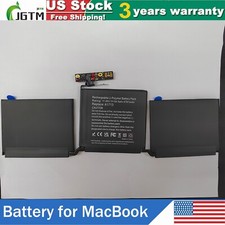
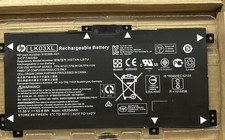
NEW Battery AP16L5J for Acer TravelMate X5 TMX514-51 TMX514-51T TMX514-51T-50MW
Check the listing for details.


| Location | San Leandro US |
| Shipping | Free shipping (check listing for details) |
| Seller |
powerforakku
98.4% positive · 4714 feedback
|
| Listing | FixedPrice · Active |
| Start time | 2025-05-24T03:50:12.000Z |
| Brand | Unbranded |
| Compatible Brand | Universal |
| Type | AC/Standard |
Specification:Battery type: Li-ionVoltage: 7.7VCapacity: 36WhCell: Li-polymer Warranty: 365 daysProduct Type: Replacement Battery,not original batteryCompatible Part Numbers:2ICP4/91/91, AP16L5JCompatible Models:Acer SF514-52TAcer SF514-52T-511EAcer SF514-52T-56Q4Acer SF514-52T-5847Acer SF514-52T-83U3Acer SF514-52T-86W1Acer Spin 1 SP111-32NAcer Swift 5 SF514-52TThis compatibility list is non-exhaustive. If your original part NO. or your laptop model NO. is not included in the compatibility list, but our battery may still fit your laptop. Please feel free to contact us to confirm the compatibility. FAQsQ: How do I select the right replacement battery for my laptop?A: First of all, you need to assure the model of your laptop or the part number of your laptop battery. you'd better look at our battery from our picturesand check if it is the same as your original one,If you don't know how to find the right battery for your laptop, please press Windows+R,type"msinfo32"then click ok,then you can find "System Model" in the pop-up window. Moreover,you can click the icon "contact seller" on the right of this page to ask us.Q: How to charge the laptop battery properly?A: You should charge the replacement battery before the battery exhaustively discharged, otherwise it will shorten its life. It is feasibleto charge the laptop battery before the power is less than 20%. Meanwhile, the battery should be charged in a dry place, and please pay attention to hightemperature, which is the biggest threat to battery life.Q: How to deal with the replacement battery when you won't use for a long time?A: If you let your battery lay idle for a long time, please charge the laptop battery or discharge to about 40%, and then put it in a dry andcool place to save. Indoor temperature is best maintained at 15 to 25 degrees Celsius because the temperature is easy to accelerate the battery aging eithertoo high or too low. You'd better fully charge and discharge the battery at least once a month. Finally please save it in accordance with the above method.Q: How to replace your Battery?1: Turn off your laptop and disconnect the AC adapter.2: Release the latch or other attachment devices that hold your battery in place.3: Slide the old battery out of its compartment or storage bay4: Take the replacement battery out of the box.5: Slide it into the notch or bay.6: Close the safety latch to lock it into place.7: Reconnect the AC adapter and give the new battery for your notebook a full charge.PaymentDelivery detailsTerms of salesAbout usWarranty Policy1.We accept payment via PayPal, Visa, Mastercard, Apple Pay, Google Pay etc.2. All payments must be prepaid.